
Trezor wallet with a lost backup or forgotten PIN: a summary of the official guidance
Published: Official pages last read: Editorial standards
According to Trezor's own pages, a wallet backup, previously called the recovery seed, is the method used to restore a wallet, and it should be entered only when the physical device prompts you to do so. If you forget your PIN, the procedure is a factory reset followed by recovery from the backup. Where the backup itself has been lost and the wallet is inaccessible, Trezor states that it cannot assist with recovery.
We operate independently of Trezor and have no affiliation with it. We have no ability to affect its decisions, and nothing on this page constitutes an official statement of Trezor.
Any question on your case may be put to us here:
Review of the exchange's own published terms
- Trezor's recovery guide describes recovery as restoring access to existing accounts by means of a wallet backup, formerly known as the recovery seed, and cautions users not to enter the backup on any website or form unless the physical device instructs it and you confirm on the device. [1]
- Per the guide, a user locked out after forgetting the PIN should first factory reset the device, then recover the wallet using the backup, and a reset performed in bootloader mode erases both the firmware and all private information. [1]
- The guide instructs anyone who finds a never-used device that already has firmware installed to stop, unplug it, and contact Customer Support to arrange a replacement. [1]
- Trezor's troubleshooting page states that the wallet backup is displayed only once, that a disconnection during the backup process results in an incomplete backup, and that in that situation you must erase the device and restart the setup. [2]
- According to the page, when a backup has been lost but the wallet can still be opened, you should transfer your funds to another wallet for which you hold a known backup without delay. [2]
- The page states that if the backup is lost and the wallet cannot be reached, Trezor has no way to assist with recovery, since it holds no control over the backup, and its loss means access is gone permanently. [2]
- On its PIN page, Trezor states the PIN blocks anyone who gets physical possession of the device from using it, and that 10 incorrect attempts on the Safe 7, or 16 on the Safe 5, Safe 3, Model T and Model One, cause a reset that erases the wallet. [3]
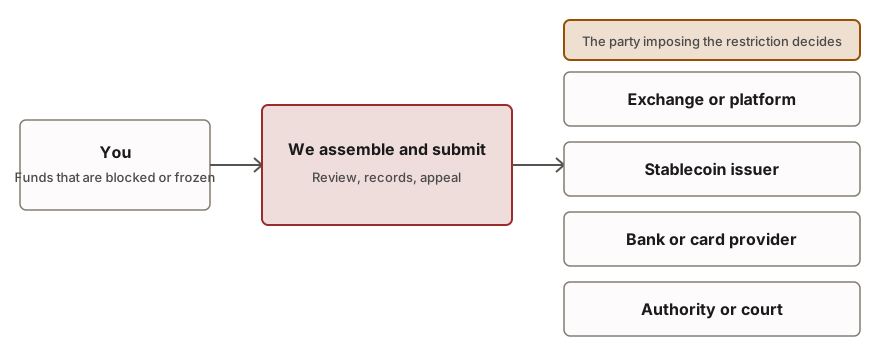
Common Regulatory Restrictions
| Type of restriction | What it means |
|---|---|
| PIN no longer known | Trezor's guide sets out a factory reset followed by restoration from the wallet backup. Because the reset wipes the private data stored on the device, keeping the backup is essential to the procedure. |
| Backup missing or not completed | The backup is displayed by the device one time only. Should it disconnect while the backup is being created, you cannot view it a second time, and Trezor advises erasing the device and starting setup again, which is simple only before any funds have been loaded. |
| Lost backup of your wallet | Where the wallet remains accessible, Trezor advises moving your funds without delay to a wallet whose backup you hold. Where it does not, the page states that Trezor has no means of recovering it. |
| Device possibly used in the past | According to Trezor, a new device that already ships with firmware installed should not be set up. As a rule, unplug the device and contact customer support to request a replacement. |
Procedure for Required Actions
- Confirm whether the wallet remains accessible
If the device and PIN still open the wallet, the urgency concerns your backup, not the funds. As a rule, do not wipe the device at this stage.
- Initiating asset transfer procedures without the recovery backup.
Trezor advises moving the funds to another wallet for which a backup is known, without delay. In practice, set up a new wallet, record a fresh backup, and send the funds to it with care.
- Locate your wallet backup
Check whether you kept a written copy of your recovery seed somewhere offline. That record is what allows the wallet to be restored if the device has been lost, wiped or damaged.
- Reset and recover only through the device
If the PIN is forgotten, Trezor instructs you to perform a factory reset and then recover using the backup. In practice, enter the words only when the physical device requests them, and confirm each entry on the device itself.
- Do not input the backup into any website or communication.
Trezor instructs users never to enter the backup anywhere unless the device itself requests it. Treat any message asking for it as suspect, regardless of the claimed sender.
- Contact Trezor support through its official site
Where a device appears faulty or compromised, Trezor directs users to its customer support team. Submit your request only through the official pages, and note the company states in writing that it cannot restore a lost backup.
What to prepare
- The device model in your possession and the date you configured it
- The written wallet backup, which must remain offline and be typed solely on the device
- The addresses and balances verifiable on a block explorer
- Screenshots of any on-screen error message or setup prompt you received
- A written record of where and how you kept the backup and the PIN
- A police report number where the device was stolen
Potential Hazards and Fraud Prevention
- Never disclose your wallet backup, seed, private keys, PIN or passwords to anyone, including parties claiming to represent Trezor support or a recovery service.
- Trezor advises entering the backup only when the physical device prompts you to do so. Any website or chat requesting it should be treated as a scam.
- Treat unsolicited recovery offers with distrust. Trezor states that it holds no control over your backup and has no ability to restore it.
- Never begin using a device that comes already configured. Trezor instructs you to stop and contact support.
Circumstances Requiring External Counsel
- The backup is gone, the wallet cannot be opened any longer, and you want clarity on what options may remain
- A damaged device calls for a specialist you can verify, not the party with the loudest advertisement
- You entered the backup into a fraudulent website and funds were taken, and the evidence now needs to be organised in a record
- You are handling the wallet of a person who has died or who cannot act
Frequently raised questions
How is a Trezor recovered when the PIN has been forgotten?
In practice, the procedure described by Trezor is a factory reset followed by wallet recovery from the wallet backup. As a rule, a reset performed in bootloader mode removes the firmware together with all private information held on the device. You therefore need the backup in hand before the reset is started.
Can Trezor restore a wallet backup I have lost?
No. Trezor states on its troubleshooting page that when a backup is lost and the wallet can no longer be accessed, it is not able to assist with recovery. It holds no control over your backup, and losing it means access is permanently gone.
The wallet backup is missing but the wallet still opens, what then?
Trezor's instruction is to transfer the funds to another wallet backed by a known wallet backup without delay. Do not wipe the device first, and follow the steps Trezor itself sets out for creating a new wallet and moving the funds.
What occurs after incorrect PIN attempts?
Trezor's official guidance explains that the Safe 7 device wipes itself following 10 failed PIN entries, while the Safe 5, Safe 3, Model T and Model One do so after 16 incorrect attempts. This erasure permanently removes the wallet from the device, and the only way to regain access afterward is by using the recovery seed backup.
Regarding recovery, what is the basis for entering wallet backup information onto an external website for the purpose of recovery?
No. The guidance from Trezor is that a wallet backup must not be entered anywhere unless the physical device itself asks for it, and any confirmation should take place on the device screen. Requests for it arriving through websites or messages are, as a rule, a common scam.
What procedures apply if a newly acquired Trezor device already contains existing firmware installations upon receipt?
Contact customer support for a replacement, cease setup, and unplug the device, as Trezor guidance identifies a device that appears used as a procedural warning.
Was this page produced by Trezor?
No. This service operates independently of Trezor and holds no affiliation with that company. We compile and link to Trezor's own published pages, and we have no ability to affect any decision the company reaches.
Related services
- Hardware Wallet Recovery Assistance. Lost PIN or lost hardware wallet: clear options and vetted independent laboratories.
- Recovering a wallet password or file. Forgotten password or damaged wallet file: screened independent specialists attempt recovery.
- Help with crypto inheritance and lost account access. Lawful routes to recover a deceased or incapacitated person's crypto, via lawyers and specialists.
Read next
Official pages read
Authoritative and official pages on which this page relies. Such pages are updated, so confirm the current wording at the source itself.
The content on this page is general in nature and is not legal advice.